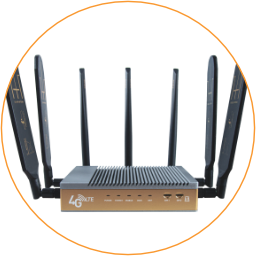
Recovery
Fix Internet and wireless network issues and recover the router from configuration problems.
Reboot Router
Section titled “Reboot Router”The LTE router uses a Linux-based operating system. Rebooting the router can resolve temporary system or Internet connectivity issues.
If the mobile connection becomes slow, unstable, or disconnected, rebooting the router will restart the modem and re-establish the mobile network connection.
i. Soft Reboot
Section titled “i. Soft Reboot”After logging into the router, navigate to “System > Reboot” and click the “Perform reboot” button to initiate a soft reboot.
ii. Hard Reboot
Section titled “ii. Hard Reboot”The router has a memory chip to store caches and temporary files. To completely clean them, we need to perform a hard reboot by unplugging the power adapter. Then, wait for more than 3 seconds before reconnecting.
Factory Reset
Section titled “Factory Reset”Incorrect settings can cause network or system configuration issues. You can reset the router to erase all custom settings and restore the factory default settings.
i. Soft Reset
Section titled “i. Soft Reset ”- After accessing the router, go to “System > Firmware Operations” and locate the red “Perform reset” button in the second “Restore” section.
- Click the red “Perform Reset” button, and a popup window will appear.
- Click “OK” to proceed with the reset. The router will go to the “System - Erasing” page. The system indicator flashes while resetting.
- Wait 2–3 minutes until the router completes the resetting progress and reboots.
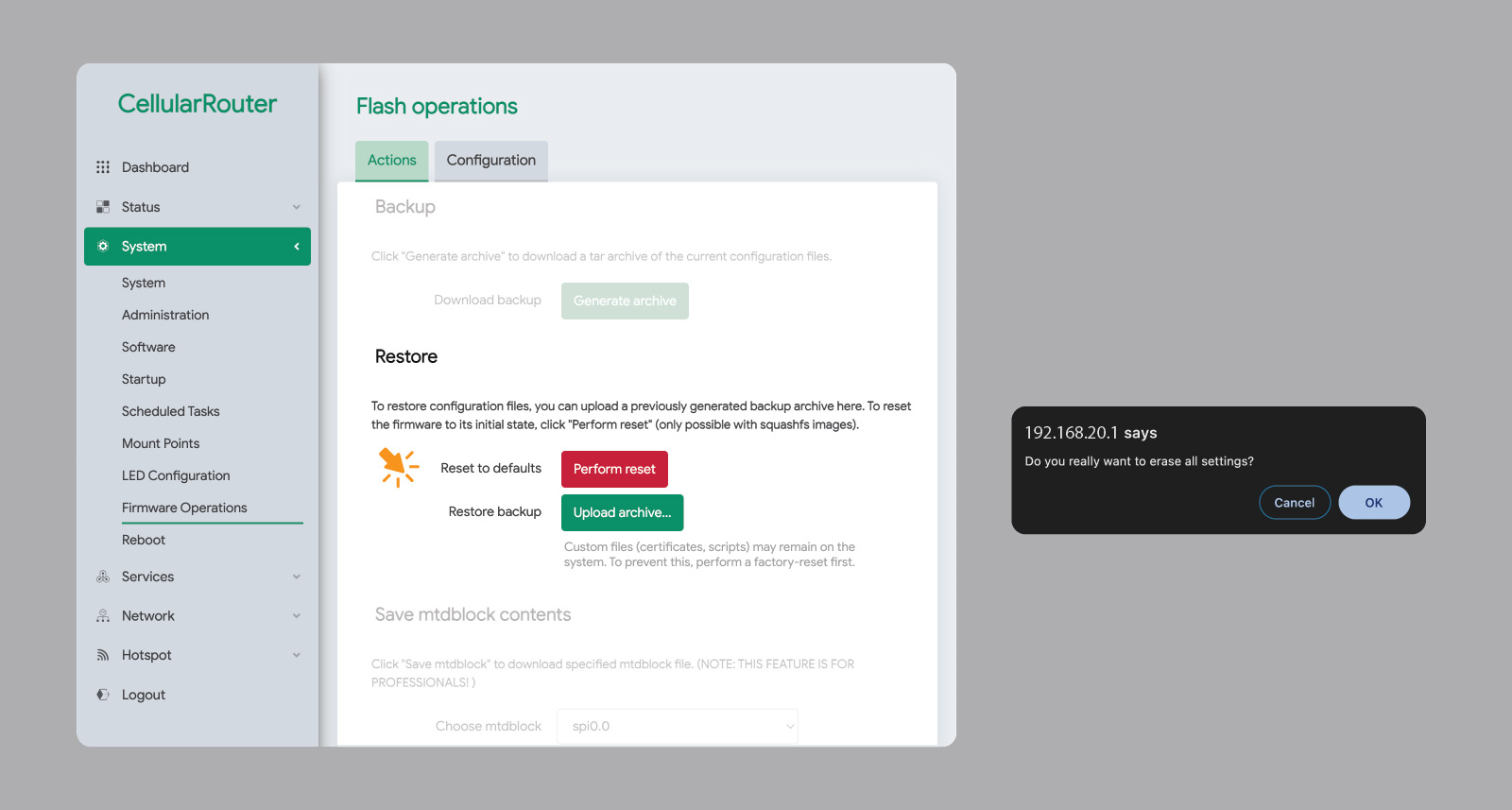
Perform Soft Reset on the Cellular Router
ii. Hard Reset
Section titled “ii. Hard Reset”If you cannot access the router’s admin panel, use the physical reset button on the back panel to perform a hard reset.
- Power on the device and wait until the router successfully boots up. The System indicator will stop flashing and stay solid white.
- Find a pin or tool with < 3mm diameter end and locate the Reset button near the DC socket.
- Align the tool horizontally with the reset button hole and press it. You will hear a clicking sound after successfully pressing the button.
- Press the Reset button for 5 seconds, then release it.
- The router starts resetting the firmware, and the system indicator flashes. Wait 2-3 minutes until the router completes the resetting progress and reboots.
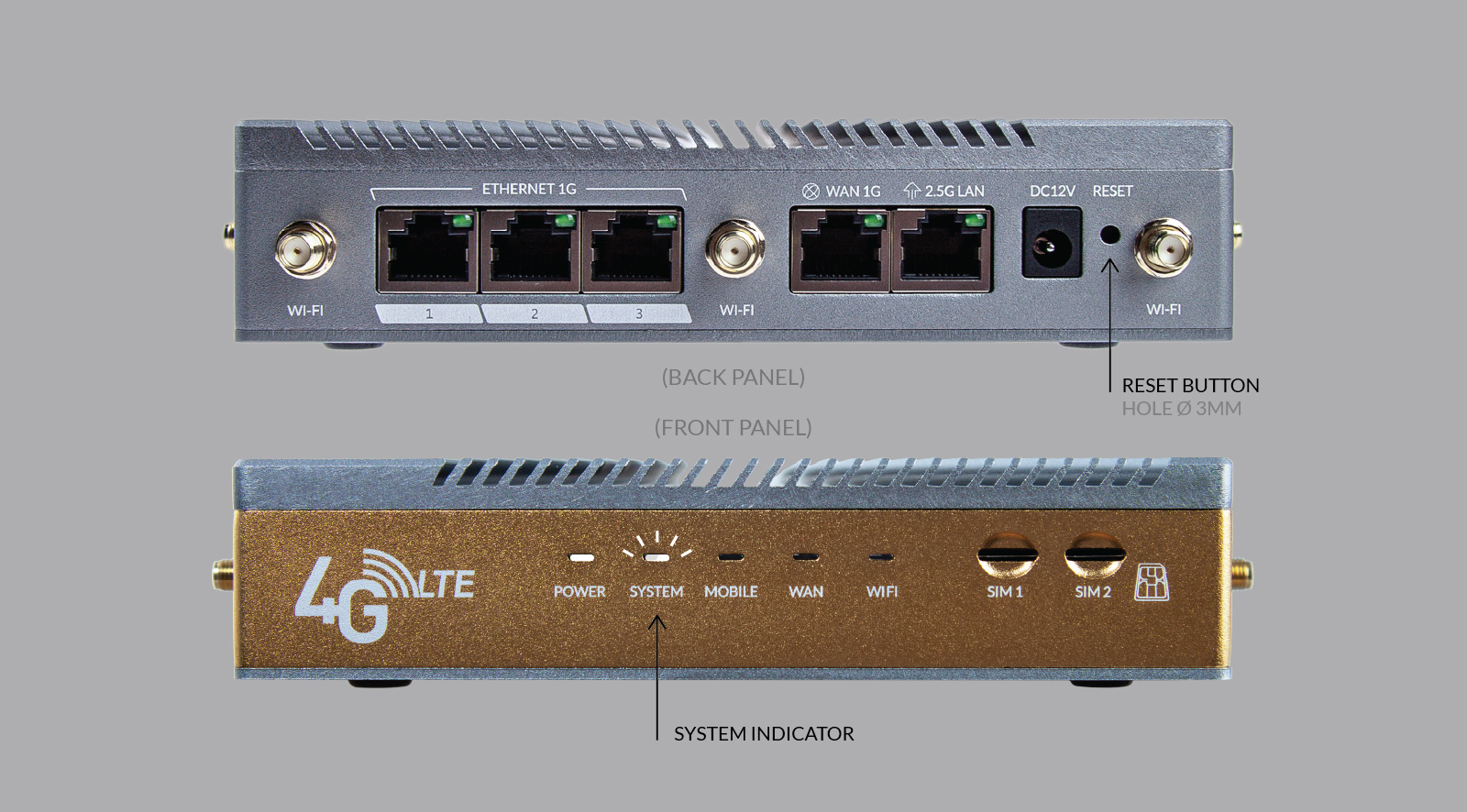
Locate Reset Button and System Indicator on LTE Router